For many office workers, back pain begins quietly. A warm desk, a fixed screen, and several uninterrupted hours can change that. The common question is simple: “Why does my back hurt after sitting in my chair?” The answer is rarely just poor posture. Chair height, seat depth, lumbar support, monitor position, and movement breaks all influence spinal comfort. Even a premium chair may feel painful when it does not fit the user’s body.
It feels minor. Then it repeats.
In practical workplace assessments, discomfort often appears around the lower back, hips, or shoulders. A seat that presses behind the knees can restrict movement. A backrest that misses the natural lumbar curve may leave muscles working continuously. Ergonomics guidance generally supports a neutral posture, supported feet, relaxed shoulders, and regular position changes. These principles help, but they are not a personal diagnosis. Persistent, severe, or spreading pain should be evaluated by a qualified healthcare professional.
This guide examines how to choose among China best office chairs without relying on marketing claims alone. It considers adjustability, materials, support, durability, and real working habits. A breathable mesh back may suit a warm office, while a firm cushion may support longer sessions. Still, personal comfort is difficult to measure from product photos. That is worth admitting. The best choice may require testing, adjustment, and honest attention to how the body feels after one hour, not just five minutes. Small clues matter. A better chair can help, but movement and setup remain equally important.
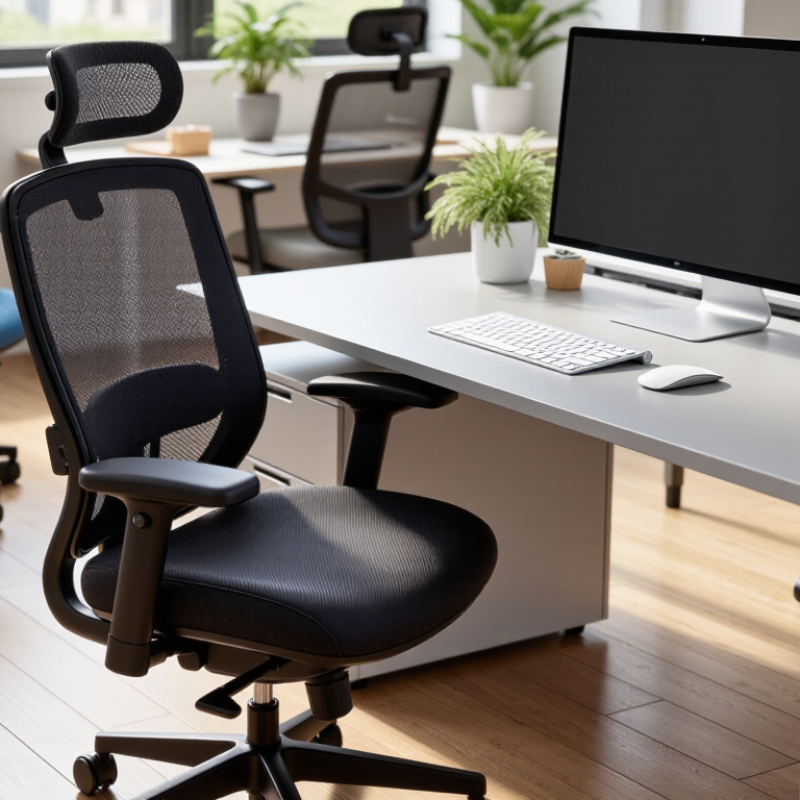
Back pain after office work often comes from posture, pressure, and long periods without movement. A chair may look comfortable but still leave your pelvis tilted backward. This position rounds the lower spine and makes back muscles work continuously. In my own workspace, I noticed pain after two quiet hours, not immediately. My first setup was not perfect.
Your feet should rest flat on the floor, with knees close to hip level. Keep your hips near the chair’s backrest and support the natural curve of your lower spine. The screen should sit near eye level, so your neck does not lean forward. Armrests can reduce shoulder tension when they keep your elbows relaxed. Small changes matter.
Move every 30 to 45 minutes. Stand, walk briefly, or gently extend your hips and upper back. Stretching alone may not solve pain caused by poor chair height or weak movement habits. Pain that travels down a leg, causes numbness, or continues despite adjustments deserves professional medical advice. A lumbar cushion can help, but it is not a cure. I sometimes adjust my chair too often instead of building better movement habits, which is worth reconsidering.
China Best Office Chairs: Why Does My Back Hurt After Sitting?
How Sitting Posture Affects Spinal Health
Back pain after desk work often begins with posture, not the chair alone. When your head moves forward, your neck and upper back carry extra load. A rounded lower back can also increase pressure on spinal joints and surrounding muscles. Research in ergonomics supports a neutral, supported posture, but no position remains comfortable forever. Even a well-adjusted chair cannot replace regular movement.
During daily desk work, keep both feet flat and let your knees stay near hip level. Place the screen at eye height, so you do not bend your neck for hours. Your hips should sit fully back, with gentle support across the lower spine. Relax your shoulders. Do not force your chest upward. That mistake can create new tension.
Tips: Change position every 30 to 45 minutes. Stand, walk, or stretch for two minutes. Try a slow hip hinge and several shoulder rolls. Adjust one feature at a time, then notice how your back responds. Small discomfort may improve with movement, but sharp pain, numbness, weakness, or pain lasting several weeks deserves assessment by a qualified healthcare professional. I still catch myself leaning toward the screen when concentrating. That habit is easy to miss. A posture check can be useful, yet comfort should guide the adjustment.
| Posture or Chair Factor | Evidence-Based Target | How It Affects the Spine | Common Warning Signs | Practical Adjustment |
|---|---|---|---|---|
| Pelvic and lower-back position | Keep the pelvis supported and maintain a comfortable, natural lumbar curve rather than flattening or excessively arching the lower back. | Slouching can increase flexion of the lumbar spine and may increase muscle fatigue during prolonged sitting. | Low-back aching, stiffness when standing, or a tendency to slide forward in the seat. | Use the backrest, sit fully back, and adjust lumbar support so it fills the lower-back gap without pushing the body forward. |
| Hip and knee angles | Keep hips level with or slightly higher than the knees, with the knees near a right angle and thighs supported without pressure behind the knees. | A seat that is too low, too high, or too deep can tilt the pelvis and increase pressure on the lower back or legs. | Thigh pressure, numbness, leg discomfort, or difficulty keeping the back against the backrest. | Adjust seat height and depth; leave a small gap between the front edge of the seat and the back of the knees. |
| Feet and lower-leg support | Place both feet flat on the floor or on a stable footrest. | Stable foot support reduces leg loading and helps prevent the pelvis from rotating or sliding forward. | Dangling feet, pressure behind the knees, or frequent shifting to find support. | Lower the chair or add a footrest while keeping the thighs supported and the knees comfortable. |
| Backrest and lumbar support | The backrest should support the lower and middle back and allow the user to recline comfortably while keeping the shoulders relaxed. | A supportive backrest can reduce the need for continuous trunk-muscle effort, although no chair eliminates the effects of prolonged sitting. | Persistent muscle tension, unsupported lower back, or discomfort that improves when reclining. | Adjust the lumbar area to provide gentle contact; avoid excessive pressure that forces the spine into an unnatural position. |
| Monitor height and viewing distance | Position the monitor directly in front of the user, with the top of the screen at or slightly below eye level and the screen approximately an arm’s length away. | A low or distant screen can encourage forward-head posture and increased neck and upper-back flexion. | Neck soreness, upper-back tightness, headaches, or frequent leaning toward the screen. | Raise the monitor, enlarge text, and keep the keyboard and mouse close enough to avoid reaching. |
| Elbow and shoulder position | Keep elbows close to the body, shoulders relaxed, and forearms approximately parallel to the floor when using the keyboard. | Reaching or elevated shoulders can transfer strain to the neck, shoulder girdle, and upper back. | Shoulder elevation, arm fatigue, tingling, or pain between the shoulder blades. | Adjust desk or chair height and keep frequently used items within easy reach. |
| Head and neck alignment | Keep the head balanced over the shoulders instead of projecting the chin forward. | Forward-head posture increases the leverage demand on the neck and upper-back muscles. | Neck stiffness, reduced comfort when looking forward, or soreness at the base of the skull. | Move the screen closer or higher and avoid holding the neck in one position for long periods. |
| Movement during desk work | Change position regularly and include brief standing, walking, or stretching intervals throughout the work period. | Static sitting can increase discomfort and fatigue even when the initial sitting posture is acceptable. | Pain that builds gradually, stiffness after sitting, or relief after walking. | Alternate sitting and standing, use task reminders, and take short movement breaks before discomfort becomes severe. |
| When to seek medical advice | Consult a qualified healthcare professional for severe, persistent, or worsening symptoms. | Back pain may have causes unrelated to chair design or posture alone. | Weakness, progressive numbness, loss of bladder or bowel control, fever, unexplained weight loss, or pain after significant injury. | Stop aggravating activities and obtain prompt medical assessment when red-flag symptoms occur. |
Guidance is based on general ergonomic recommendations from occupational health authorities, including the U.S. Occupational Safety and Health Administration and the National Institute for Occupational Safety and Health. Individual needs vary, and posture should remain comfortable rather than rigid.
Why does my back hurt after sitting? Often, the chair fits the desk, not your body. A supportive office chair should let both feet rest flat, with knees near hip level. Its seat should support your thighs without pressing behind your knees. I have noticed that even a soft cushion can create soreness when it tilts the pelvis backward. Soft is not always supportive. A five-minute comfort test can mislead; real work exposes pressure points.
Look for adjustable lumbar support that fills the natural inward curve without pushing too hard. The backrest should recline slightly and move with you. This can reduce constant muscle bracing. Adjustable seat depth matters for shorter and taller users. Armrests should keep your shoulders relaxed, while the screen stays near eye level. A stable five-point base and smooth casters help you change position without twisting. Small adjustments matter.
Ergonomic guidance favors movement over one perfect posture. Stand, walk, or stretch briefly every 30 to 45 minutes. If pain travels down a leg, causes numbness, or persists, consult a qualified healthcare professional. Chair design cannot solve every problem. I still catch myself leaning forward during busy tasks. That is a useful warning, not a failure. Test the chair at your desk, wearing normal shoes, during several work sessions before deciding.
Office Chair Features That Support Your Back
The chart shows practical ergonomic target ranges for common office-chair adjustments. Adjustable seat height helps keep the feet flat on the floor, while suitable seat depth, recline, and lumbar-support positioning can reduce prolonged pressure on the lower back. Individual comfort depends on body size, posture, and work habits.
Reference basis: ergonomic workstation guidance from the U.S. Occupational Safety and Health Administration and the National Institute for Occupational Safety and Health. These ranges are general setup targets, not medical requirements.
A comfortable office chair starts with adjustment, not appearance. I used to raise my seat too high, thinking it improved posture. It only left my feet dangling and my lower back tense.
Set the height so both feet rest flat, with knees level with or slightly below your hips. Keep two fingers of space between the seat edge and your knees. This reduces pressure behind the legs.
Adjust the backrest until it supports your natural lower-back curve. The support should feel present, not forceful. Recline slightly, around 100 to 110 degrees, instead of sitting rigidly upright. Keep your shoulders relaxed and your elbows near your sides. Armrests should support the forearms without lifting the shoulders. I still catch myself leaning forward during busy tasks. That habit matters more than the chair’s label.
Place the monitor directly in front of you, with its top near eye level. Your eyes should move downward slightly, not your whole neck.
Move the keyboard close enough to prevent reaching. Change position every 30 to 45 minutes, even if the adjustment feels awkward at first.
Stand briefly, walk a few steps, and reset your hips against the backrest. Comfort is not always immediate.
Persistent, severe, or spreading pain deserves assessment from a qualified healthcare professional.
A supportive office chair may reduce strain, but it cannot diagnose back pain. Pain after sitting can involve muscle fatigue, disc irritation, hip problems, or other conditions. The World Health Organization’s 2023 fact sheet reported 619 million cases of low back pain worldwide in 2020. It projects 843 million cases by 2050. The problem is widespread. It is not automatically caused by a chair. The U.S. Bureau of Labor Statistics recorded more than 140,000 work-related back injury cases involving missed work in 2022.
Professional medical advice becomes important when pain persists, worsens, or limits normal movement. Seek prompt assessment after a fall, or when pain travels below the knee. Numbness, weakness, fever, unexplained weight loss, or sleep-disrupting pain also deserve attention. New bladder or bowel problems require urgent care. Do not manage these warning signs by changing seat height alone. The National Institute for Occupational Safety and Health recommends workstation adjustment, task variation, and regular posture changes. Good posture is not a permanent pose. Try keeping both feet supported, your hips level, and your screen near eye height. Change position often. Stop if symptoms increase. A clinician can assess strength, reflexes, and movement before recommending imaging or therapy. Blaming the chair feels convenient, but that explanation may be incomplete.
Long sitting can tilt your pelvis backward and round your lower spine. Your back muscles then work continuously. The chair may look comfortable. The problem may involve posture, pressure, and limited movement.
Keep both feet flat on the floor. Your knees should sit level with, or slightly below, your hips. Keep about two fingers between the seat edge and your knees. This reduces pressure behind your legs.
Lower or raise the seat until your feet reach the floor comfortably. Avoid dangling feet. Keep your hips near the backrest. I once raised my chair too high and created more tension.
Adjust the backrest to support your natural lower-back curve. The support should feel present, not forceful. Recline slightly, around 100 to 110 degrees. Sitting rigidly upright may increase fatigue.
Place the monitor directly in front of you. Keep its top near eye level. Your eyes should look slightly downward. Move the keyboard close, so your shoulders do not reach forward.
Change position every 30 to 45 minutes. Stand, walk a few steps, or gently extend your hips and upper back. Small resets matter. Stretching alone may not fix poor chair height.
A lumbar cushion may support your lower-back curve. It cannot cure every cause of pain. Pain may involve muscles, discs, hips, or other conditions. I sometimes adjust cushions repeatedly instead of moving more, which deserves reconsideration.
Seek medical advice when pain persists, worsens, or limits normal movement. Prompt assessment is important after a fall or when pain travels below the knee. Numbness, weakness, fever, unexplained weight loss, or sleep-disrupting pain also matter. New bladder or bowel problems require urgent care.
No. A chair may contribute, but it may not explain everything. Work habits, prolonged sitting, movement limits, and health conditions can also matter. Blaming the chair feels convenient. The explanation may be incomplete.
Why does my back hurt after sitting in my chair? Back pain often develops when prolonged sitting places continuous pressure on the lower spine, especially if the chair lacks proper support or encourages poor posture. Slouching, leaning forward, or keeping the head and shoulders out of alignment can strain the back muscles and gradually affect spinal comfort. A supportive office chair should provide adjustable lumbar support, a comfortable seat, stable armrests, and a height that allows the feet to rest flat on the floor.
Improving comfort also depends on correct adjustment. Set the seat so your knees are level with or slightly lower than your hips, keep your back supported, and position the desk and screen to avoid bending your neck. Regular movement, stretching, and short standing breaks can reduce stiffness. If pain is severe, persistent, spreading to the legs, or accompanied by numbness or weakness, seek professional medical advice to identify the cause and receive appropriate care.

Govind Sofa